
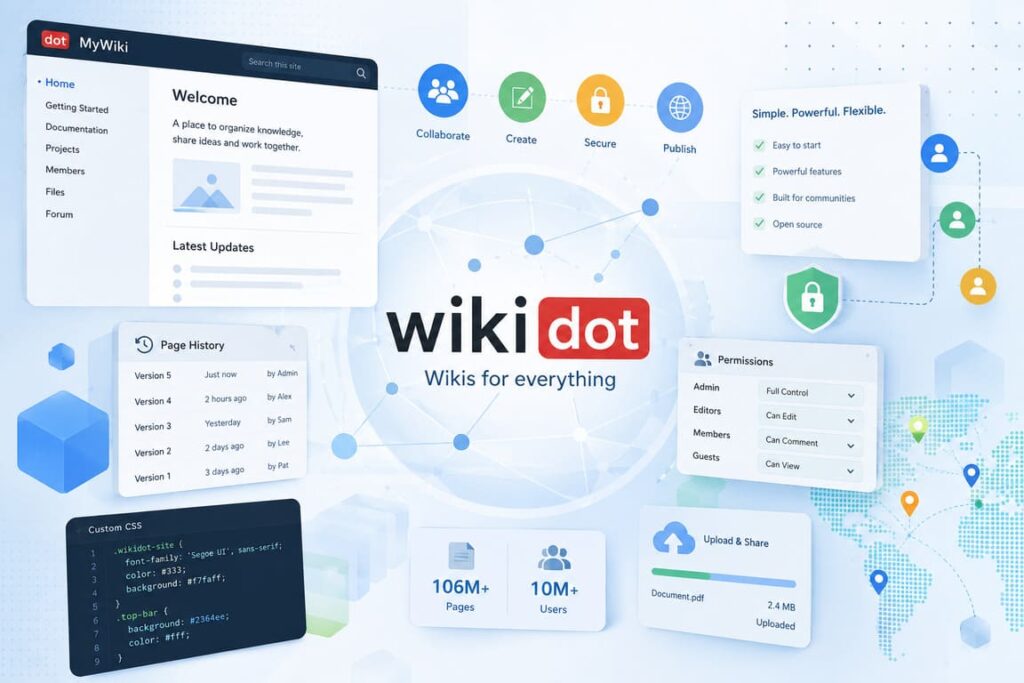

Wikidot is a platform for building wiki-based websites. In plain terms, it is a service for people who want to publish knowledge, organize documents, build community hubs, or run private collaboration spaces. On its homepage, Wikidot says it can be used to publish content, share files, and work with friends or coworkers. It also shows large public numbers, including more than 106 million pages and more than 10 million signed-up users, which suggests that the service has real scale and a long life online.
What makes Wikidot interesting is that it sits between a classic wiki and a lightweight site builder. It is not just for encyclopedia-style pages. It can also be used for documentation, project spaces, fan communities, role-playing worlds, knowledge bases, and internal team sites. The company promotes it as both simple and powerful, and it claims the system can handle sites with millions of visitors per month.
A practical point in Wikidot’s favor is that it has a clear entry path. The homepage breaks the process into three easy steps: sign up, create a wiki, and invite, work, or publish. That makes the service easy to understand even for users who have never built a wiki before. Pricing is also straightforward. Wikidot says it started in 2006 as a free wiki provider and now offers free and paid plans for casual users, professionals, and businesses.
The real experience: strengths and weak points
The best thing about Wikidot is flexibility. A user can create a public knowledge site, a private workspace, or a community-driven project without needing a heavy content management system. Even the free account allows custom CSS themes, backups, advanced membership roles, private sites, and custom domain mapping. Those are useful features that many website builders lock behind paid tiers.
Another strong point is how the platform balances free access with upgrade paths. The paid plans are clearly aimed at different groups: Pro Lite for personal or community use, Pro for business sites and medium-sized workgroups, and Pro Plus for more serious business-critical projects. Features like web statistics, SSL access, larger file limits, priority email support, and unlimited private membership on higher tiers make the platform more practical for professional use. Source
Wikidot also has an interesting technical side. The open-source portal says Wikidot.org is the official open-source version of the Wikidot.com software, available under the Affero GPL v3. It describes the software as stable, mature, and free, with the ability to run a single wiki or even large wiki farms on Linux. That matters because it shows the platform is not only a hosted website builder; it also has roots in software that can be deployed and studied more deeply.
Still, Wikidot is not perfect. The public-facing design feels old compared with modern no-code tools. The open-source site itself looks especially dated, and its visible page revision points back to 2009. That does not mean the hosted service is dead, but it does mean the brand can look less polished than newer competitors. For some users, especially beginners who want a modern drag-and-drop experience, Wikidot may feel technical or visually outdated.
Another issue is that Wikidot is best when your content is structured. If you want flashy landing pages, modern ecommerce tools, or smooth visual editing, this is probably not the right product. Wikidot is much better for systems, pages, navigation, permissions, revision history, and information architecture than for glossy design-first websites. That is not a flaw for every user, but it is an important fit issue.
Who Wikidot is best for
Wikidot works best for people who care more about structure than style. Good fits include:
- communities that need organized pages and member roles
- teams that want a simple internal knowledge base
- hobby projects with lots of cross-linked pages
- documentation websites
- fan universes and archive-style projects
- private workgroups that need permissions and version history
That is also why Wikidot has stayed relevant. It solves a real problem: keeping information organized in a shared, editable space.
Quick fact table for Wikidot
| Category | Details | Why it matters | Source |
|---|---|---|---|
| Core service | Wiki-based website builder for publishing, sharing documents, and collaboration | Useful for communities, teams, and structured content | Wikidot Homepage |
| Scale shown on homepage | More than 106 million pages and more than 10 million signed-up users | Suggests a large installed base and long-term usage | Wikidot Homepage |
| Launch background | Wikidot says it started in 2006 as a free wiki provider | Shows the platform has been around for many years | Wikidot Plans |
| Paid plans | Pro Lite, Pro, Pro Plus, plus approved free Community Sites | Gives a clear path from hobby use to business use | Wikidot Plans |
| Open-source side | Wikidot.org is presented as the official open-source version under AGPL v3 | Adds credibility for technical users and self-hosting interest | Wikidot.org |
Interesting facts about Wikidot
One interesting detail is that Wikidot offers “Community Sites,” a free option for approved, quality community-driven projects with practically unlimited resources. That is unusual. Most platforms push communities toward paid tiers, but Wikidot leaves room for strong public projects to grow without normal account limits.
Another notable fact is that even the free plan includes features many people expect only from paid tools, such as unlimited pages, unlimited revisions per page, custom CSS themes, advanced permissions, backups, and custom domain mapping. In other words, the free version is not just a demo. It is a real product, although with tighter storage and more control limits around ads and private membership.
The platform also presents itself as inexpensive. On the homepage, it says pro features are available from $4 per month, while the plans page shows annual subscription pricing for different levels. That low entry price helps explain why Wikidot has remained attractive for hobby communities and small groups that need more power than a basic blogging tool can offer.
Final verdict on Wikidot
Wikidot is not trendy, but it is useful. It is a strong option for people who need a wiki first and a website second. Its value comes from structure, permissions, revisions, and the ability to grow from a small personal project into a more serious documentation or community platform. The interface may look old, and it is not the easiest choice for users who want a visual design playground. But for organized content, knowledge sharing, and collaborative publishing, Wikidot still does its job very well.
FAQ about Wikidot
Is Wikidot free to use?
Yes. Wikidot offers a free account, and the comparison table on its plans page shows that free users can create up to five sites with 300 MB each, while still getting unlimited pages, unlimited revisions, and custom CSS themes.
Is Wikidot good for business use?
It can be. Wikidot’s Pro and Pro Plus plans are positioned for business websites and private workgroups, with features such as larger storage, higher file size limits, web statistics, private membership controls, SSL on higher tiers, and support options.
Can Wikidot handle large communities?
Yes, at least by design. The homepage says the platform can handle sites with millions of visitors per month, and the Community Site option is described as having practically unlimited resources for approved projects.
Is Wikidot modern?
Functionally, yes in many areas. Visually, not really. It is better to think of Wikidot as a durable utility platform than as a trendy website builder.