
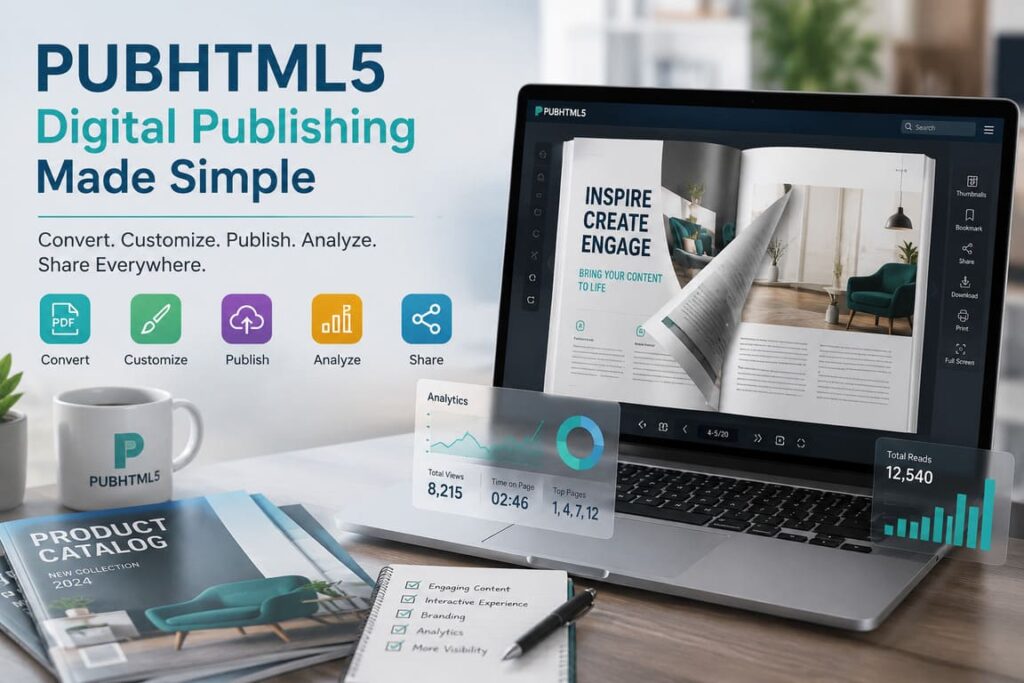

There are two kinds of digital publishing platforms. The first kind wants to impress you with polish, templates, creative identity, and marketing sheen. The second kind wants to get your document online, make it interactive enough to be useful, and help you distribute it everywhere without drama. PubHTML5 belongs firmly to the second category. That is not an insult. In many organizations, it is exactly the point.
PubHTML5 presents itself as a digital publishing platform that converts PDF, MS Office, and OpenOffice content into HTML5 catalogs, magazines, brochures, and flipbooks. On its homepage, it describes itself as “a leading-edge digital publishing platform to amplify your content,” and says users can publish to its cloud or output locally and host on their own web server for lifetime use. Source That final detail is more revealing than the marketing copy. PubHTML5 is not just selling page-turn animation. It is selling distribution control.
That makes the platform more interesting than it first appears. In a crowded flipbook market, many products chase the same surface promise: “turn your PDF into a digital experience.” PubHTML5’s real differentiator is that it tries to sit at the intersection of publishing, hosting, branding, analytics, and practical deployment. It is less glamorous than some rivals, but it is also more grounded in operational use.
PubHTML5 Snapshot
| Category | What PubHTML5 offers | Why it matters |
|---|---|---|
| Core promise | Convert PDFs and office files into HTML5 flipbooks | Turns static files into shareable digital publications |
| Main outputs | Catalogs, magazines, brochures, lookbooks, newsletters, ebooks | Broad content suitability |
| Distribution modes | Cloud publishing, embed, social sharing, local/offline output, self-hosting options | Useful for both marketers and controlled internal publishing |
| Customization | 80+ customization options, branding, logos, backgrounds, URL/domain options | Helps content feel owned rather than generic |
| Analytics | Page views, time on page, zoom patterns, widget interactions | Gives enough data for content optimization |
| Business model | Free + paid SaaS plans with feature gating and subscription-hosting logic | Classic freemium-to-subscription funnel |
| Official scale claims | 77,769,126 hosted publications and 60,000+ companies since 2009 | Suggests meaningful installed base |
Sources: PubHTML5 homepage
The real thesis: PubHTML5 is a utility platform, not a prestige platform
This is the key to reviewing it fairly. PubHTML5 is not trying to be Adobe InDesign. It is not trying to be a next-generation content operating system either. It is trying to help organizations publish documents in a more engaging format, distribute them across channels, and extract a bit more value from assets they already have.
That helps explain both its strengths and its limitations.
On the strength side, the feature set is broad and commercially sensible. PubHTML5 says users can:
- upload PDFs and create flipbooks quickly,
- customize appearance extensively,
- add multimedia and interactive elements,
- share via social channels,
- optimize text versions for SEO,
- manage subscribers,
- monitor engagement statistics,
- publish online or offline,
- and use custom domains and branded bookcases
On the limitation side, this is still fundamentally a conversion-and-distribution platform. If you want a deeply modern collaborative content workflow, enterprise-grade analytics leadership, or premium design sophistication, stronger competitors exist.
What the feature stack says about the product strategy
PubHTML5’s features reveal a company that understands buyer intent very well. It is not just “make a flipbook.” It is:
- Make it quickly
- Brand it enough to look professional
- Publish it where your audience is
- Track engagement
- Keep the distribution link useful over time
That last point is especially important. One user review on Capterra praised the ability to update PDFs without sending new links, while another described using the platform daily for an online newspaper and reorganizing books across libraries with relative ease.
Table 2 — Feature Breakdown
| Capability | What the platform claims | Editorial assessment |
|---|---|---|
| PDF-to-flipbook conversion | Core free feature; quick upload and conversion | Expected baseline, but still the center of product value |
| Branding | Logos, backgrounds, buttons, navigation, custom domains | Strong enough for SMEs and marketing teams |
| Multimedia | Add video, images, URLs, animation, interactive features | Good uplift over static PDFs |
| SEO text version | Title, description, keywords, text version for discoverability | A practical differentiator versus “visual-only” flipbook tools |
| Analytics | Real-time insight into page views, time on page, zoom, widget interactions | Useful, though not necessarily category-leading |
| Bookcase / library display | Showcase collections of publications | Strong for catalogs, archives, product ranges, and recurring issues |
| Offline / local output | Publish locally and host on own server | Important for organizations with infrastructure or control needs |
| Subscriber management | Manage magazine subscribers in one interface | Helpful but niche depending on use case |
Sources: PubHTML5 features
Pricing and business model: more consequential than it looks
PubHTML5’s pricing page is unusually revealing. The platform offers Free, Pro, Platinum, and Enterprise tiers. The free plan includes 1 user, 500G storage, 5 uploads per day, and 500 pages per book, but adds a PUBHTML5 watermark and restricts advanced features. Pro is $149/year, Platinum $299/year, and Enterprise $999/year according to the crawled pricing page summary.
But the most important business-model clue is not the price. It is the hosting logic. PubHTML5 says that if you cancel the service, flipbooks created during the rental period will not remain active, though the system keeps them for a long time and they can be reactivated by subscribing again.
That tells you two things immediately:
- This is a true SaaS model, not a one-time software purchase mentality.
- Hosted continuity is part of the monetization logic.
For some buyers, that is normal. For others—especially teams that want perpetual public access—this is a serious procurement consideration.
Table 3 — Plans and What They Really Mean
| Plan | Officially visible details | What it means in practice |
|---|---|---|
| Free | 1 user, 500G storage, 5 uploads/day, 500 pages/book, watermark | Good for testing; weak for brand-sensitive publishing |
| Pro | $149/year, unlimited storage/uploads, no watermark, 5 local offline publications/month, 1,000 pages/book | Solid low-cost professional tier for solo users |
| Platinum | $299/year, 3 users, batch conversion, Page Editor, Animation Editor, 1,500 pages/book | Best value for small teams needing more control |
| Enterprise | $999/year, 10 users, up to 2,500 pages/book, command-line/API and enterprise functions | Aimed at organizations, governments, and larger operations |
Source:
Reputation: good value, mixed polish
PubHTML5’s reputation looks respectable rather than adored. On Trustpilot, the crawled page showed a 4.3 rating, with positive comments praising reasonable pricing and responsive support, but at least one reviewer calling the free version effectively useless.
Capterra is stronger: the crawled page showed 4.6/5 from 25 reviews. Positive themes included ease of use, customization, reliability, analytics, private-server suitability, and the ability to update PDFs without replacing links. Criticisms included weak mouse-wheel zooming/scrolling, occasional loss of editor changes, lack of domain restriction in some workflows, weak multi-user flexibility, and delays when catalogs went offline after payment issues.
That pattern tells a familiar SaaS story. Users like the value and usefulness. They are less impressed by refinement.
Where PubHTML5 succeeds
It understands a very specific buyer
PubHTML5 is clearly built for:
- content marketers,
- publishers,
- educators,
- sales teams,
- ecommerce catalogs,
- SMEs,
- and organizations digitizing brochures, magazines, or manuals.
It is stronger on practicality than on branding theater
The platform’s appeal is simple: upload, enrich, publish, embed, track. That is a good formula.
It supports multiple deployment mindsets
The ability to publish to cloud or output locally is a meaningful differentiator for users who want more control than pure-hosting competitors offer.
It has real market footprint
PubHTML5 says it has hosted 77,769,126 publications and earned the trust of 60,000+ companies since 2009. Even allowing for the usual marketing spin, those are not tiny numbers.
Where it falls short
PubHTML5’s weaknesses are not hard to spot.
- The free tier appears intentionally frustrating. The watermark and feature limits are one thing; the more serious issue is that at least one Trustpilot reviewer felt the free version offered too little to be meaningful
- Editing polish appears inconsistent. Reviewers mention lost changes and clunky zoom/scroll behavior.
- Team collaboration does not look category-leading. One reviewer specifically criticized shared-work flexibility and proofreading limitations.
- Hosted dependence may irritate some buyers. If your subscription lapses, your hosted publications can go inactive.
There is no obvious grand controversy here—just the more common SaaS tension between convenience and control.
Competitor context: where PubHTML5 stands
The flipbook market is crowded, but the competitors are not identical.
Table 4 — PubHTML5 vs Competitors
| Platform | Official positioning | What it appears strongest at | Where PubHTML5 can still win |
|---|---|---|---|
| PubHTML5 | Digital publishing platform for HTML5 flipbooks, cloud/local publishing, branding, analytics | Practical publishing operations at relatively accessible pricing | Local output, utility-first workflow, cost-conscious buyers |
| Issuu | Convert PDFs into flipbooks; also Articles, social posts, GIFs, teams, digital sales, QR codes, integrations | Broader content repurposing and media distribution ecosystem | PubHTML5 may appeal to users wanting simpler, more direct document publishing control |
| Flipsnack | “#1 flipbook maker”; integrated design studio, analytics, heatmaps, security, accessibility, enterprise workspaces | Enterprise-grade polish, security, collaboration, design workflow | PubHTML5 can be the cheaper, more utilitarian option |
| FlipHTML5 | Broad solution provider with 1000+ templates, GA4 integration, monetization, mobile app, bookcase, AI-enhanced editing | Richer feature marketing, content monetization, app ecosystem | PubHTML5 may feel more straightforward for traditional publishing use cases |
Sources: FlipHTML5
Who should use PubHTML5?
Strong matches
- Publishers moving legacy PDFs online
- Marketing teams creating digital brochures, catalogs, and lookbooks
- Educational organizations distributing course or internal materials
- SMEs that want branded flipbooks without enterprise-budget software
- Sales teams that need embeddable, link-based collateral with tracking
Weak matches
- Teams needing sophisticated collaborative editing and proofing
- Buyers who want the best-looking design studio experience
- Organizations uncomfortable with subscription-dependent hosted visibility
Pros and Cons
Pros
- Broad, practical publishing feature set
- Strong distribution flexibility: cloud, embed, social, local output
- Custom domains and branding options improve professionalism
- SEO text version is a meaningful advantage
- Analytics are useful for business publishing
- Price-to-capability ratio looks competitive
- Real installed-base claims and multi-year market presence
Cons
- Free plan appears heavily constrained
- UX polish is not best-in-class
- Some users report editor frustration and saved-change issues
- Multi-user workflow looks weaker than stronger competitors
- Hosted continuity is tied to subscription status
- Market reputation is good, but not dominant
Interesting facts and statistics
- PubHTML5 says it has hosted 77,769,126 publications.
- The feature page highlights 80+ customization options.
- Capterra lists 4.6/5 from 25 reviews on the crawled page.
- Trustpilot shows 4.3 on the crawled page.
FAQ
1) Is PubHTML5 mainly for magazines?
No. The platform is clearly broader: catalogs, brochures, lookbooks, newsletters, whitepapers, ebooks, and other document-centric content all fit the product.
2) Is it good for businesses, not just publishers?
Yes. The strongest fit may actually be business publishing—sales collateral, product catalogs, internal documents, and marketing assets.
3) Is the free version enough?
Enough to test, probably. Enough to commit, probably not. The watermark and feature limits are part of an intentional upgrade funnel.
4) How does it compare with Issuu?
Issuu looks broader as a content repurposing and distribution brand, with articles, social posts, GIFs, digital sales, and integrations. PubHTML5 feels more like a practical digital-document utility.
5) What is the biggest procurement risk?
Subscription dependence for hosted activity. If always-on hosted access matters, buyers should examine the plan structure carefully.
Final verdict
PubHTML5 is not the most glamorous platform in digital publishing, but it may be one of the more sensible ones for buyers who value usefulness over theater.
Its strongest idea is not flipbooks. It is document activation: take a static file, make it interactive, make it distributable, make it brandable, make it trackable, and keep the workflow simple enough that ordinary teams can actually use it. That is a legitimate product strategy. It also explains why the platform seems to win on value and practicality even when users complain about polish.
The trade-off is equally clear. PubHTML5 feels more like a hardworking mid-market SaaS tool than a category-defining platform. Rivals such as Flipsnack, Issuu, and FlipHTML5 may look stronger in design sophistication, enterprise positioning, or broader ecosystem ambition. But PubHTML5 has something many software buyers quietly prefer: it appears to solve a real operational problem without insisting on a premium identity first.
For publishers, marketers, educators, and SMEs with document-heavy workflows, that is often enough—and sometimes more than enough.
Rating: 8.1/10
Best for: publishers, marketers, SMEs, educators, sales teams, document-heavy organizations
Not ideal for: buyers seeking best-in-class collaborative editing, premium design polish, or subscription-independent hosted permanence