
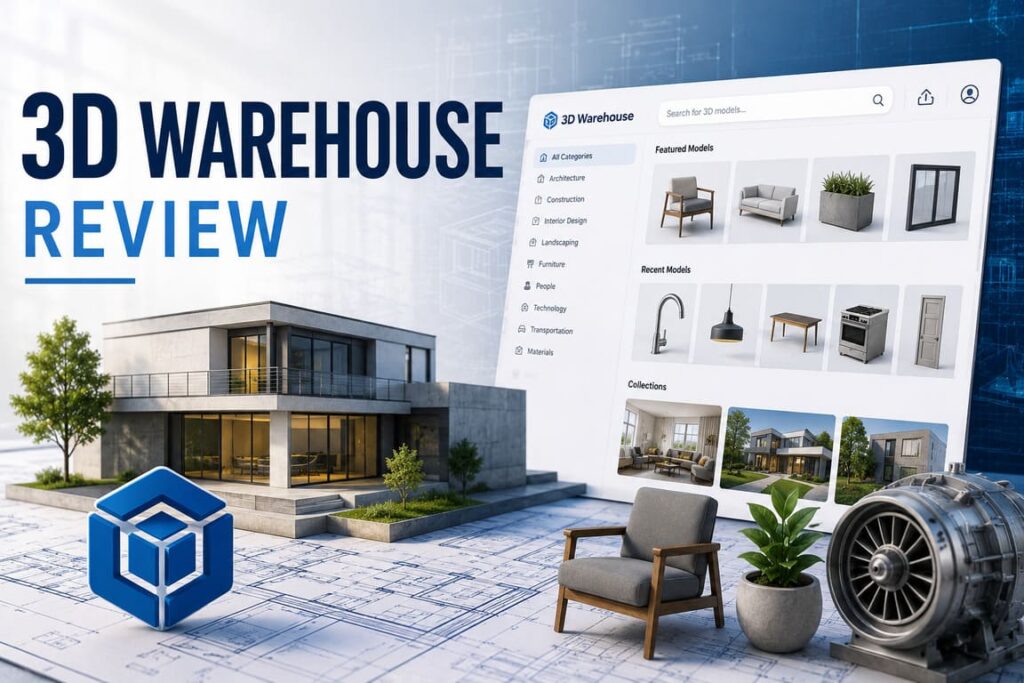

If SketchUp is the drawing board, 3D Warehouse is the supply chain. That is the simplest way to understand why this platform matters. On the surface, 3D Warehouse looks like a searchable library of ready-made 3D assets. In practice, it is far more consequential than that. It is where speed enters the SketchUp workflow, where manufacturers turn products into design-ready objects, where users publish portfolios, and where the broader SketchUp ecosystem becomes materially useful rather than merely promising.
That distinction matters because 3D content libraries are not all built for the same job. Some are marketplaces. Some are portfolio stages. Some are generic repositories. 3D Warehouse is different: it is designed first and foremost to work seamlessly with SketchUp. That single design choice shapes everything from its strengths to its frustrations. It is also why the platform has endured. According to SketchUp Help, 3D Warehouse is “a veritable library of searchable, pre-made 3D models” that lets users search, filter, upload, curate, connect with other users, and even view qualifying models in augmented reality. Source
The strategic importance of 3D Warehouse becomes clearer when placed inside the SketchUp story. SketchUp says its founding mission was to create professional 3D design software that is both powerful and approachable, and that more than 20 years later its goal remains to provide faster, easier, and more powerful tools so users can spend less time on drudgery and more time designing and building. 3D Warehouse is one of the clearest expressions of that mission, because nothing reduces drudgery faster than reusing high-quality components instead of modeling everything from scratch.
3D Warehouse at a Glance
| Category | What it looks like in practice | Why it matters |
|---|---|---|
| Core identity | Searchable library of pre-made 3D models and materials for SketchUp | Saves modeling time and lowers friction |
| Ecosystem role | A key component of the SketchUp platform | Makes SketchUp more useful for real-world projects |
| Main user actions | Search, filter, download, upload, curate collections, comment, contact creators | Blends utility with community |
| Analytics | Views, downloads, likes for catalogs, collections, and models | Gives creators feedback and light performance intelligence |
| AR capability | Models under 10MB or 200k polygons can be converted for AR viewing via QR code | Extends models beyond desktop design into presentation and collaboration |
| Audience | Designers, architects, interior designers, engineers, contractors, manufacturers | Broad but SketchUp-centric |
| Strategic differentiator | Tight workflow alignment with SketchUp rather than broad-format neutrality | Strong fit, narrower universality |
Sources: SketchUp Help — 3D Warehouse
Why 3D Warehouse still matters
In professional 3D workflows, time is not just money; it is feasibility. A concept model that takes two hours instead of ten changes what a designer can pitch, revise, or approve in a day. That is where 3D Warehouse earns its keep. Officially, users can search by keyword, category, and even image; refine by file size, polygon count, file type, Dynamic Components, Live Components, or geolocated models; and upload or curate content of their own.
That feature set sounds ordinary until you look at the context. SketchUp is widely used by architects, interior designers, builders, and product specifiers—people who do not always want abstract meshes. They want a chair that behaves like a chair in a room scene. They want a faucet from an actual manufacturer. They want a quick client-facing mock-up that looks plausible enough to move a decision forward. In a 2015 announcement, Trimble said 3D Warehouse connected designers to free, high-quality 3D content, that millions of SketchUp designers relied on it every year, and that it included free 3D product models from hundreds of premier brands such as Bosch Appliances, Herman Miller, Kohler, Marvin Windows, Natuzzi, Teknion, Caesarstone, Formica, and Sherwin Williams.
That brand participation is not a trivial footnote. It is the difference between a hobbyist asset library and a specification-adjacent platform. It turns 3D Warehouse from a convenience into a workflow accelerator for design professionals.
The product experience: useful, practical, and occasionally maddening
3D Warehouse is strongest when it acts like invisible infrastructure. Find a model, pull it into SketchUp, move on. That is the dream, and often the reality. It also helps that the platform is not just for downloading. Users can upload their own models, build collections, allow comments, expose contact details, and use analytics to see views, downloads, and likes across their content.
That said, the product experience has clearly been turbulent. SketchUp’s own forum threads are revealing. In an August 2023 update, product staff discussed restoring the “Relevancy” filter, bringing back related models and collections, fixing language persistence, addressing preview errors, repairing bugs where sort changes broke search, and researching how to preserve search state inside SketchUp after downloads. Users in the same thread described navigation as frustrating, complained about losing search history, and criticized default behavior that prioritized “Products” over “Models.”
This is important because it highlights 3D Warehouse’s central paradox:
- It is valuable enough that users care deeply when it gets in their way.
- Its search and browsing experience are mission-critical, not decorative.
- Small UX flaws become large workflow taxes in repeated professional use.
In other words, 3D Warehouse is not judged like a casual content site. It is judged like a tool. That raises the bar.
Feature Analysis
| Feature | Official capability | Real-world value | Watch-out |
|---|---|---|---|
| Search & filters | Keyword, category, image search; filters for file size, polygon count, file type, Dynamic/Live Components, geolocated models | Helps professionals narrow toward usable assets fast | Search relevance has been a recurring user complaint |
| Upload & sharing | Users can upload models and materials | Good for portfolios, teams, and brand exposure | Quality control depends heavily on uploader discipline |
| Collections | Save and share groups of models/materials | Useful for project kits and reusable libraries | Discovery depends on search and related-item UX |
| Community tools | Comments, contact by email, profiles, social links | Encourages collaboration and creator networking | Community value is uneven across categories |
| Analytics | Views, downloads, likes; date ranges; graphs and tables | Gives creators feedback on what resonates | Lightweight analytics, not a full marketplace intelligence suite |
| AR View | QR-code-based AR for models under 10MB or 200k polygons | Excellent for demos and quick contextual visualization | Device/browser consistency remains an issue |
Sources: 3D Warehouse Forum AR thread
Where 3D Warehouse wins
The platform succeeds in five areas that matter more than flashy features.
1. Native relevance inside SketchUp
3D Warehouse’s greatest strength is not that it has 3D models. Lots of platforms have 3D models. Its strength is that it is part of a design environment used by millions. Trimble described SketchUp in 2015 as used by more than 30 million designers around the world, and framed 3D Warehouse as a core component of that broader platform.
2. Manufacturer utility
Because it includes models from hundreds of brands, 3D Warehouse has practical value in architecture and interiors that generic art-focused repositories often cannot match.
3. Low-friction reuse
SketchUp’s mission emphasizes ease and speed; 3D Warehouse operationalizes that mission.
4. Lightweight creator ecosystem
Comments, profiles, contact features, likes, and analytics are enough to create a functioning community without overwhelming the core job of asset reuse.
5. Presentation bridge via AR
The AR feature is strategically smart. It lets designers share QR-driven previews and use mobile devices for contextual visualization.
Where it falls short
3D Warehouse’s weaknesses are equally clear.
- Search quality remains a reputational risk. SketchUp’s own forum discussions show the team actively fixing relevance, sorting, and browsing issues, which is good—but it also confirms the problems were real and significant.
- Quality varies because the library is open. Open repositories are powerful, but they create inconsistency in optimization, naming, and usefulness.
- AR is promising but not yet bulletproof. The forum thread on AR exposes browser dependencies, iOS beta limitations, ad blocker interference, lighting sensitivity, texture mapping problems, and the inability to adjust object height in some scenarios.
- It is still a SketchUp-first universe. That is a strength if you live in SketchUp, and a limitation if you do not.
3D Warehouse vs Competitors
| Platform | Official positioning | Best at | Weakness relative to 3D Warehouse | Best user type |
|---|---|---|---|---|
| 3D Warehouse | Searchable pre-made 3D models that work seamlessly with SketchUp | SketchUp-native reuse and manufacturer-friendly design workflows | Less universal than broader 3D web platforms | SketchUp users in design/build workflows |
| Sketchfab | “The leading platform for 3D & AR on the web”; asset management, collaboration, embedding, online 3D editor, millions of creators | Web presentation, interactive viewing, AR/VR-ready showcase | Not as specifically tuned to SketchUp workflows | Creators, marketers, 3D publishers |
| CGTrader | Large marketplace and curated collections across games and 3D printing | Commercial asset sourcing across many use cases | More marketplace-driven, less native to SketchUp | Buyers and sellers of commercial 3D assets |
| TurboSquid | “3D Models for Professionals” | Professional asset purchasing for production pipelines | Less community-and-workflow oriented for SketchUp users | Production teams needing purchasable professional assets |
Sources: 3D Warehouse Help, CGTrader
Who should use 3D Warehouse?
Best-fit users
- Architects and interior designers who need quick entourage, furniture, fixtures, and branded products
- Contractors and builders who need communication-ready models for phasing or client explanation
- Manufacturers who want their products specified in design workflows
- SketchUp creators building a portfolio, catalog, or reusable component library
- Educators and students who benefit from approachable reuse instead of full asset creation from zero
Less ideal users
- Artists looking for the most advanced web-native 3D presentation layer may prefer Sketchfab.
- Buyers who primarily want commercial asset procurement may prefer CGTrader or TurboSquid.
Use-Case Fit
| Use case | Fit score | Why |
|---|---|---|
| Interior concepting in SketchUp | 9/10 | Fast access to furniture, fixtures, materials, and branded products |
| Manufacturer product distribution | 8/10 | Good exposure inside a design ecosystem |
| Classroom learning | 8/10 | Lowers entry barriers for beginners |
| Portfolio/showcase outside SketchUp | 6/10 | Works, but not as web-centric as Sketchfab |
| High-end cross-platform asset commerce | 5/10 | Marketplace competitors are stronger |
Pros and Cons
Pros
- Seamless alignment with SketchUp workflows
- Strong utility for architecture, interiors, and product specification
- Free models and materials are central to its value proposition
- Useful filters for polygon count, file type, and specialized component classes
- Creator-side analytics add practical feedback
- AR viewing is smart and collaboration-friendly when it works
Cons
- Search relevance and navigation have been recurring pain points
- Open library structure means inconsistent asset quality
- AR experience can be flaky across devices and browsers
- Value drops sharply if you are not already in the SketchUp ecosystem
- Community features exist, but they are secondary rather than deeply developed
Interesting facts
- SketchUp says its mission has stayed consistent for more than 20 years: make professional 3D design easier and more powerful.
- In 2015, Trimble called 3D Warehouse “the world’s largest 3D content sharing platform.” That is a dated claim, but it signals how central the platform was to SketchUp’s identity.
- Trimble also said millions of SketchUp designers relied on 3D Warehouse each year.
- AR conversion is gated by a practical limit: under 10MB or 200k polygons.
FAQ
1) Is 3D Warehouse just a free model dump?
No. It is a workflow layer inside the SketchUp universe. The free content matters, but the bigger value is native relevance, manufacturer participation, and design-speed acceleration.
2) Is it better than Sketchfab?
Not universally. Sketchfab is broader and more web-presentation oriented, with a powerful online 3D editor and AR/VR-ready experiences. 3D Warehouse is better if your center of gravity is SketchUp.
3) Can professionals rely on it?
Yes—with judgment. It is highly useful, especially for design ideation and specification workflows, but model quality and search experience vary.
4) Is AR a serious feature or a gimmick?
It is serious in intention and useful in some workflows, but current limitations make it more supplemental than foundational.
5) What is the biggest weakness?
Search and browsing friction. When a repository becomes a professional dependency, relevance quality matters as much as library size.
Final verdict
3D Warehouse is not the flashiest 3D platform on the market, nor is it the most elegant. But judged on the right standard—how much value it creates inside SketchUp—it remains one of the most important asset platforms in design software.
Its success comes from relevance, not spectacle. It saves time. It shortens concept cycles. It helps manufacturers enter the design conversation earlier. It gives creators distribution and lightweight analytics. And it makes SketchUp feel less like an isolated modeling tool and more like a functioning ecosystem.
Its failures are also the failures of an ecosystem product: search friction, inconsistent quality, and features like AR that are strategically smart but still imperfect in execution. Yet none of that changes the core conclusion. If you use SketchUp seriously, 3D Warehouse is not optional background infrastructure—it is one of the product’s main reasons to be efficient.
Rating: 8.4/10
Best for: SketchUp-centric designers, architects, interior designers, product manufacturers, educators
Not ideal for: users seeking the best standalone 3D showcase platform or a pure commercial asset marketplace