
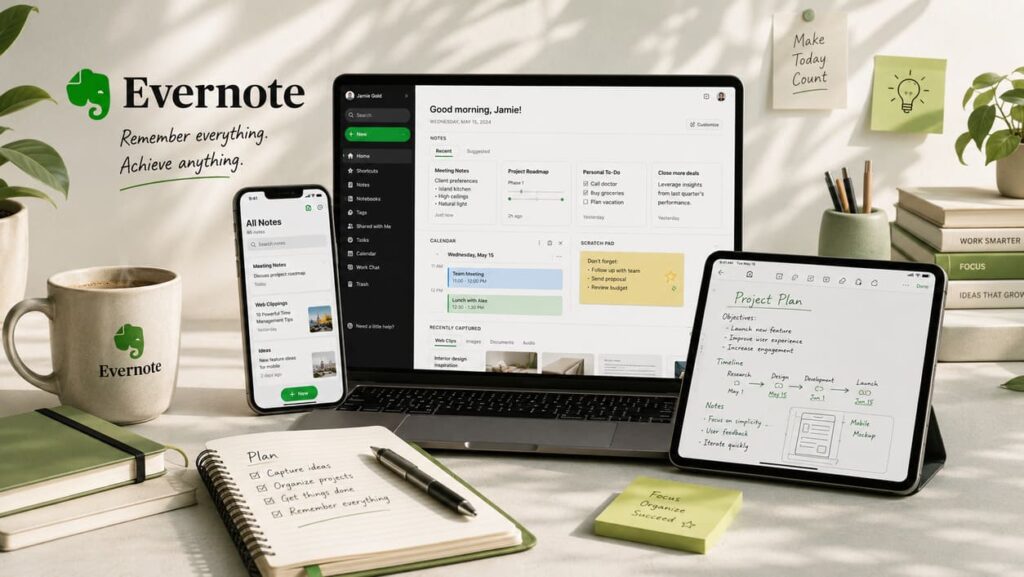

Evernote is no longer just a note-taking app. Its current website presents it as a place to organize life, manage projects, connect notes with calendars, save web content, scan paper documents, and use AI to work faster. The language on the site is clear: Evernote wants to be your “second brain.” That phrase can sound like marketing, but in Evernote’s case it describes the product fairly well. The app is built for people who want one place to capture information and retrieve it later without wasting time.
The strongest part of Evernote is still information capture. The Features page highlights web clipping, document and image search, saved searches, scanning paper items, note organization, and integration with tools like Google Drive, Slack, and Microsoft Teams. The product is designed for people who collect lots of small but important things: meeting notes, receipts, research, manuals, travel details, project ideas, and scattered tasks. Instead of focusing only on writing, Evernote focuses on keeping useful information findable. That is a subtle but important difference.
Evernote’s modern pitch is broader than it used to be. On the Why Evernote page, the company frames the app around meetings, to-dos, projects, professional goals, school, writing, vacations, and even household life. This is smart positioning because it shows that Evernote is not trying to win only power users or only business teams. It is trying to serve anyone whose digital life has become messy. The product works best for users who think in systems: notebooks, tags, reminders, searches, connected calendars, and reusable workflows.
Evernote at a glance
| Category | What stands out |
|---|---|
| Core identity | Note-taking and organization platform |
| Main strengths | Capture, search, web clipping, scanning, task and calendar support |
| Key integrations | Google, Microsoft Outlook, Slack |
| AI direction | AI Assistant, Semantic Search, AI Transcribe, AI Edit, AI Cleanup |
| Free tier limits | 50 notes, 1 notebook, 1 device, 1GB storage |
| Paid growth path | Starter, Advanced, Enterprise |
| Recent company change | Acquired by Bending Spoons in January 2023 |
Table sources: Evernote Features, Compare plans
One reason Evernote remains relevant is search. Many note apps are pleasant to use, but they become messy after a few months of heavy use. Evernote directly emphasizes advanced search, the ability to look inside images and documents, semantic search, and AI assistance. For researchers, managers, consultants, students, and people who save a lot of reference material, this matters more than visual polish. A note app becomes valuable when it can return the right thing quickly, especially months after you saved it.
Evernote is also clearly being pushed into a new phase. In a post on the Evernote blog, Bending Spoons CEO Luca Ferrari announced that Bending Spoons had become the new owner of Evernote and described the product as a brand with great potential. On the Bending Spoons homepage, the company says it acquired Evernote in January 2023, released 200+ features and improvements, and increased sync speed by up to 3x across devices. That does not automatically make Evernote perfect, but it does show active investment and measurable product work after the acquisition.
The pricing structure shows both Evernote’s ambition and its limitation. According to the Compare Plans page, the Free plan is very restricted: 50 notes, 1 notebook, 1 device, and 1GB of storage. Starter raises that to 1,000 notes, 20 notebooks, 3 devices, and 5GB of storage. Advanced moves to unlimited notes, notebooks, spaces, tags, devices, and storage, subject to safeguard limits, while also adding the fuller premium experience. This means Evernote still offers a free entry point, but serious users will almost certainly need a paid plan.
That restriction will be the biggest drawback for some people. If you just want a lightweight free notes app, Evernote may feel too limited compared with simpler alternatives. But if you want a structured knowledge hub with search, clipping, calendars, attachments, AI tools, and business-ready upgrades, the product makes more sense. Evernote is not trying to be the cheapest notebook on the market. It is trying to be a heavier-duty productivity system.
Another useful point in Evernote’s favor is how many kinds of information it handles naturally. The site talks about clipping articles and PDFs, scanning paper, attaching documents, images, and audio recordings, and connecting notes to schedules and tasks. In practice, this gives Evernote a more archival personality than many competitors. It is not just a place to type. It is a place to store a working memory of projects and life admin. If you are the kind of person who constantly thinks, “I know I saved that somewhere,” Evernote is built for that exact problem.
Who Evernote is best for
- People who save a lot of research, web pages, and documents.
- Professionals who want notes, tasks, and calendar context together.
- Users who care more about retrieval and organization than about minimal design.
- Teams or advanced individuals who need AI features and cross-platform access.
Interesting facts about Evernote
Bending Spoons says it has released more than 200 features and improvements for Evernote since acquiring it in January 2023.
The same company says Evernote sync speed has increased by up to 3x across devices.
Evernote now markets several AI features directly in its plans, including AI Assistant, Semantic Search, AI Transcribe, AI Edit, and AI Cleanup. That shows how far it has moved beyond classic note-taking.
Final verdict on Evernote
Evernote is best understood as a serious organization tool, not a casual notebook. Its strengths are capture, search, retrieval, structure, and breadth. It works across personal and professional life, and it is especially useful for users who deal with a constant flow of notes, files, clipped articles, and reminders. The free plan is limited enough that some users will bounce off it, but the product itself remains powerful and increasingly feature-rich. If BandLab is about removing friction from creation, Evernote is about removing friction from memory and organization. For people who need a dependable system rather than a cute notes app, Evernote still deserves a place near the top of the list.
FAQ: Evernote
What is Evernote best used for?
Evernote is best for capturing and organizing notes, web pages, scans, files, tasks, and calendar-linked information in one place.
Is Evernote still actively improving?
Yes. Bending Spoons says it has released 200+ features and improvements since acquiring Evernote in January 2023.
Does Evernote have AI features now?
Yes. The Compare Plans page lists AI Assistant, Semantic Search, AI Transcribe, AI Edit, and AI Cleanup.
Is Evernote good for free users?
It can work for light use, but the Free plan is limited to 50 notes, 1 notebook, 1 device, and 1GB of storage, so heavier users will likely need a paid tier.